

Uniform Resource Locators (URLs) serve as the fundamental routing fabric of the internet. They allow web servers and APIs to locate distinct resources across a global network securely.
However, despite their simplicity, URLs are bound by incredibly strict formatting constraints. Specifically, a standard URL cannot transmit a majority of the ASCII character set. The HTTP protocol mandates that all URLs must physically only use a limited set of inherently "safe" printing characters natively.
If a developer arbitrarily attempts to append an unsafe character directly to an API endpoint routing string (e.g., placing a whitespace character physically inside an email search query), the entire HTTP request pipeline breaks violently. URL Encoding exists fundamentally to translate and dynamically rescue unsafe strings safely across networks.
1. What Are Safe and Unsafe Characters?
According to the official RFC 3986 Internet specification, safe URL characters are structurally categorized specifically into two distinct groups:
- Unreserved Characters: These are always permitted. They include alphanumeric characters (
A-Z,a-z,0-9), hyphens (-), periods (.), underscores (_), and tildes (~). - Reserved Characters: These hold explicit functional meaning actively within the browser routing stack. They include slashes (
/), question marks (?), equal signs (=), ampersands (&), and pound signs (#).
If your data payload specifically contains one of these reserved characters natively (like a user searching for the band AT&T via an API), the browser will fundamentally incorrectly assume the literal & symbol physically separates an active query string parameter. This is why encoding is not just a luxury—it's a technical requirement for data integrity.
2. The Percent-Encoding Mechanism
When a developer transmits unsafe data explicitly through an HTTP query string, the data must first undergo completely rigorous percent-encoding.
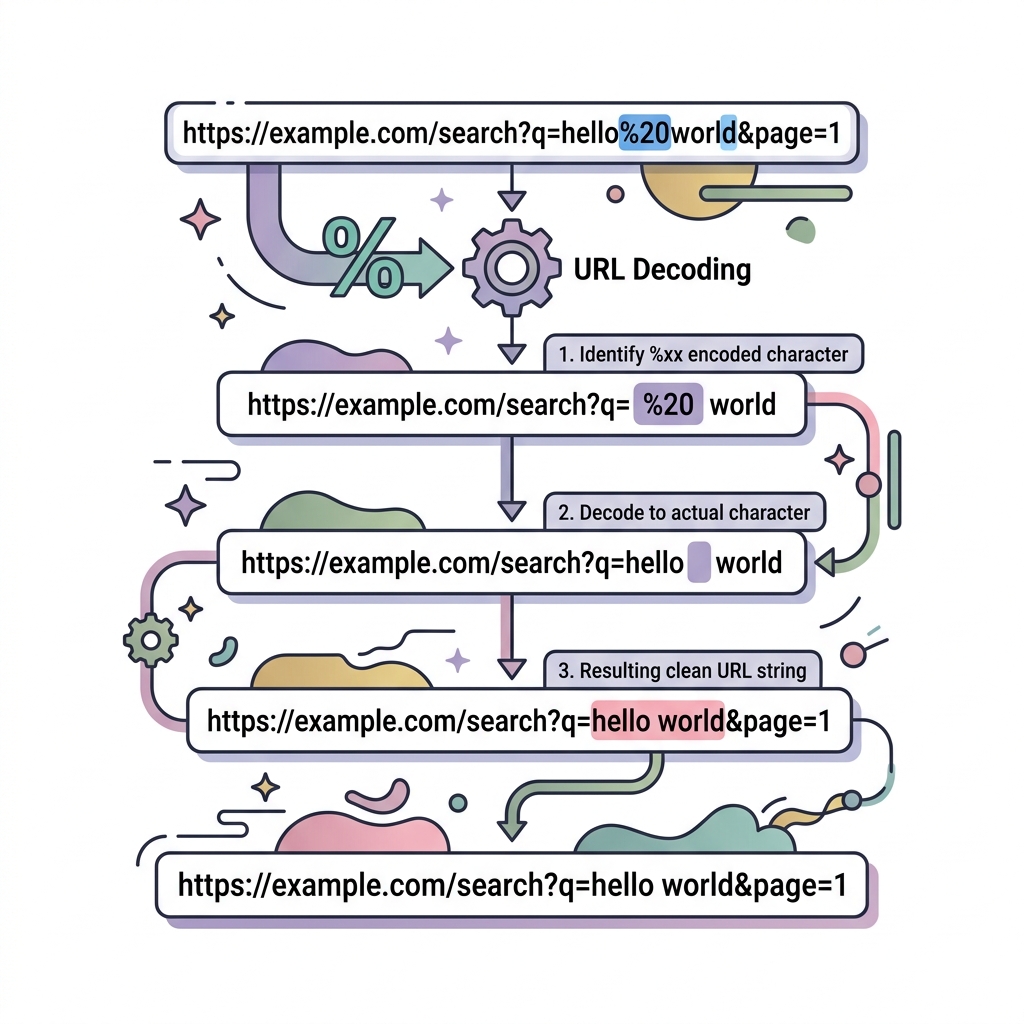
URL encoding translates unsafe special characters natively into a safe string, starting structurally with the percentage symbol (%), followed efficiently by a designated 2-digit hexadecimal representation corresponding precisely to the character's core ASCII index mapping.
Common Encoded Values:
- Space
%20 - Exclamation
!becomes%21 - Quotation
"becomes%22 - Hash
#becomes%23 - Dollar
$becomes%24 - Ampersand
&becomes%26
If you are debugging a broken string, pasting your URL payload dynamically into a dedicated URL Encoder/Decoder allows you instantly to view the unsafe characters.
3. Beyond Simple Spaces: Encoding Non-ASCII and Unicode
In the modern web, we often deal with more than just basic English text. When a URL contains non-ASCII characters (like emojis or foreign scripts like Schloß or 日本語), the encoding process becomes slightly more complex.
Browsers first convert the character to its UTF-8 byte sequence and then apply the percent-encoding to each individual byte. For example, the emoji 🚀 is represented as four bytes in UTF-8: 0xF0 0x9F 0x9A 0x80. Its URL-encoded equivalent is %F0%9F%9A%80.
4. Web Framework Implications and Pitfalls
In JavaScript, modern developers typically securely leverage the native global function encodeURIComponent() dynamically to prepare data strictly for an API query efficiently.
Using Javascript:
const userInput = "Hello World! @user & 🚀";
const safeQuery = encodeURIComponent(userInput);
// Output: Hello%20World!%20%40user%20%26%20%F0%9F%9A%80

const apiEndpoint = `https://api.example.com/search?q=${safeQuery}`;
Pitfall: encodeURI() vs encodeURIComponent()
The older deprecated API, encodeURI(), should rarely be used structurally for query parameters. It intentionally avoids securely encoding fundamental reserved routing characters efficiently like the core ?, #, and specifically /.
- Use
encodeURI()when you have a 100% complete URL string and just want to make sure it's valid (e.g., handles spaces). - Use
encodeURIComponent()for individual data fields that will become values in a query string. This is the "safe" default for API developers.
5. Security Risks: URL Injection & Cross-Site Scripting (XSS)
Failure to properly encode URLs doesn't just break functionality; it creates critical security vulnerabilities. If a server takes an unencoded URL parameter and injects it directly into an href attribute or a SQL query, an attacker can use special characters to "escape" the intended context.
For example, an attacker could supply a value like javascript:alert('XSS') instead of a redirect URL. By strictly enforcing URL encoding on the client side and rigorous decoding/validation on the server side, you eliminate entire classes of web-based injection attacks.
6. Real-World Use Case: OAuth State and Redirects
OAuth 2.0 flows are a prime example of where URL encoding complexity peaks. When initiating an OAuth flow, you often pass a state parameter and a redirect_uri. The redirect_uri itself is a URL and must be encoded so it doesn't collide with the parameters of the authorization server.
If your redirect_uri is https://myapp.com/callback?from=google, it must be passed as redirect_uri=https%3A%2F%2Fmyapp.com%2Fcallback%3Ffrom%3Dgoogle. Double-encoding (encoding an already encoded string) is a common headache but can be avoided by maintaining a clear distinction between data and infrastructure in your routing logic.
Conclusion
Understanding URL encoding allows engineering teams to safely transfer volatile input efficiently across standardized HTTP streams. Properly escaping these characters securely ensures your applications gracefully withstand unpredictable inputs securely without triggering server-side syntax parsing exceptions or security vulnerabilities.
By using tools like the devtoolspack URL Encoder, you can visually audit your API payloads and ensure your application remains robust across all browsers and server environments. Having a solid grasp of how data is transformed for transmission is a fundamental skill for any professional software developer. This knowledge helps in debugging obscure network errors and ensures that your application provides a seamless experience for users worldwide, regardless of the complexity of the data being shared.