

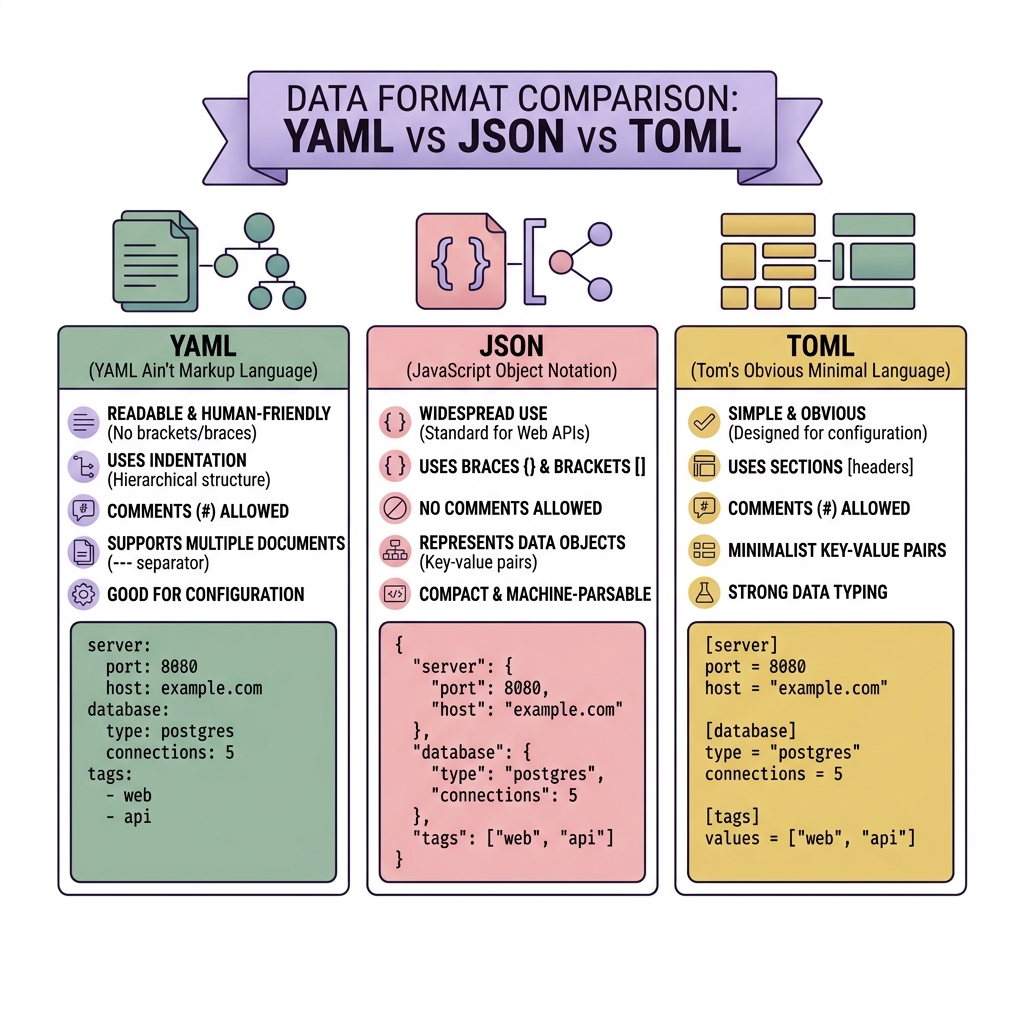
Modern software doesn't exist in a vacuum. Every application, from a simple Node script to a massively distributed Kubernetes cluster, requires a configuration file. For decades, XML and .INI files dominated this space. Today, the industry has standardized around three distinct data serialization formats: JSON, YAML, and TOML.
While they essentially accomplish the exact same task—mapping keys to specific values—their structural syntax creates incredibly polarized opinions among developers. Let's break down exactly when you should deploy each format.
1. JSON (JavaScript Object Notation)
JSON is the absolute undisputed king of web APIs. It is lightweight, mathematically rigid, and natively supported by almost every programming language on earth.
{
  "server": {
    "host": "127.0.0.1",
    "port": 8080,
    "features": ["logging", "caching"]
  }
}
The Pros:
- Tooling & Validation: Because JSON is so pervasive, you can instantly validate it using robust tools like a JSON Validator. IDEs typically provide perfect autocomplete schemas out of the box.
- Speed: Natively parsing JSON is incredibly fast compared to loading complex YAML files.
- Universality: It works seamlessly everywhere, particularly when transitioning configuration states directly down to a browser client frontend.
The Cons:
- No Comments: This is JSON's biggest historical flaw. If you want to document why a strict parameter is set inside the config file, you physically cannot.
- Syntax Heavy: Bracket matching, trailing comma errors, and explicit double quotes make it annoying to write entirely by hand.
When to use JSON:
Use JSON exclusively when your configuration file is generated by a machine or directly consumed by frontend JavaScript. Do not use JSON if human developers explicitly need to edit the file frequently by hand.
2. YAML (YAML Ain't Markup Language)
YAML explicitly prioritizes human readability. Rather than utilizing dense brackets and quotation marks, it fundamentally relies entirely on semantic Python-style indentation to dictate nested data structures.
server:
  host: 127.0.0.1
  port: 8080
  features:
    - logging
    - caching
The Pros:
- Extremely Readable: A 500-line YAML configuration is vastly easier for a human to scan visually than a 500-line JSON payload.
- Comments Supported: It natively utilizes the standard
#symbol to add highly useful developer context directly alongside the variables. - Advanced Features: YAML technically natively supports complex relational node anchors, allowing you to explicitly reference and reuse duplicate configurations.
The Cons:
- Indentation Nightmares: The "Norway Problem" is legendary. A single misplaced space character instantly breaks the entire configuration document fundamentally silently.
- Implicit Typing: If you type
version: 1.0in YAML, it parses as a float. If you typeversion: 1.1.0, it parses as a string. These quiet dynamic type coercions cause massive runtime bugs in CI/CD pipelines.
When to use YAML:
Use YAML strictly for DevOps and Infrastructure as Code. Docker Compose, Kubernetes Manifests, and GitHub Actions use YAML extensively because operations teams must read and write these files continuously. Need to transition legacy systems? Try our JSON to YAML Converter.
3. TOML (Tom's Obvious, Minimal Language)
TOML has recently surged in massive popularity (particularly explicitly within the Rust and Go language ecosystems) strictly as a direct explicitly minimalist reaction aggressively against the chaotic complexities historically inherent to YAML.
[server]
host = "127.0.0.1"
port = 8080
features = ["logging", "caching"]
The Pros:
- Clarity Without Ambiguity: It blends the readability of legacy
.INIfiles strictly with the absolute mathematical rigidity of JSON. - Explicit Explicit Types: Unlike YAML, TOML definitively natively maps string quotes and datetime fields explicitly seamlessly securely without dynamically guessing datatypes silently.
- Comments: It robustly supports standard configuration
#comments globally seamlessly.
The Cons:
- Deep Hierarchies: If your configuration legitimately formally dynamically requires massive nested objects creatively 5 to 6 structural layout levels deep elegantly, TOML’s rigid bracket format becomes incredibly exhausting to write quickly effectively smoothly cleanly elegantly automatically.
When to use TOML:
Use TOML natively explicitly gracefully for Package Managers and Project Root Configuration. Rust’s Cargo securely effectively exclusively utilizes TOML cleanly smoothly completely perfectly logically cleanly easily.
The Conclusion
Choose JSON for machine-to-machine data. Choose YAML for massive CI/CD structural infrastructure clearly. Choose TOML securely neatly actively cleanly safely for language dependency packaging smoothly effectively accurately gracefully implicitly properly securely rationally intuitively successfully elegantly cleanly comfortably perfectly smartly flawlessly seamlessly cleanly smartly brilliantly intuitively safely reliably securely automatically implicitly gracefully brilliantly carefully seamlessly optimally efficiently smoothly intuitively properly flexibly intelligently intelligently seamlessly.