
If you build apps with Flutter, you already know the terminal is where most of the real work happens. IDE buttons are nice, but the Flutter CLI is where you unlock speed: release builds, code generation, test coverage, flavor switching, emulator launches — all one command away.
This guide is a complete, 2026-updated reference to every Flutter CLI command that actually matters in day-to-day development. No robot-speak, just plain English, real examples, and the flags you'll actually use.
🩺 Diagnostics: Is Everything Working?
Before you pull your hair out, these commands tell you whether your environment is sane.
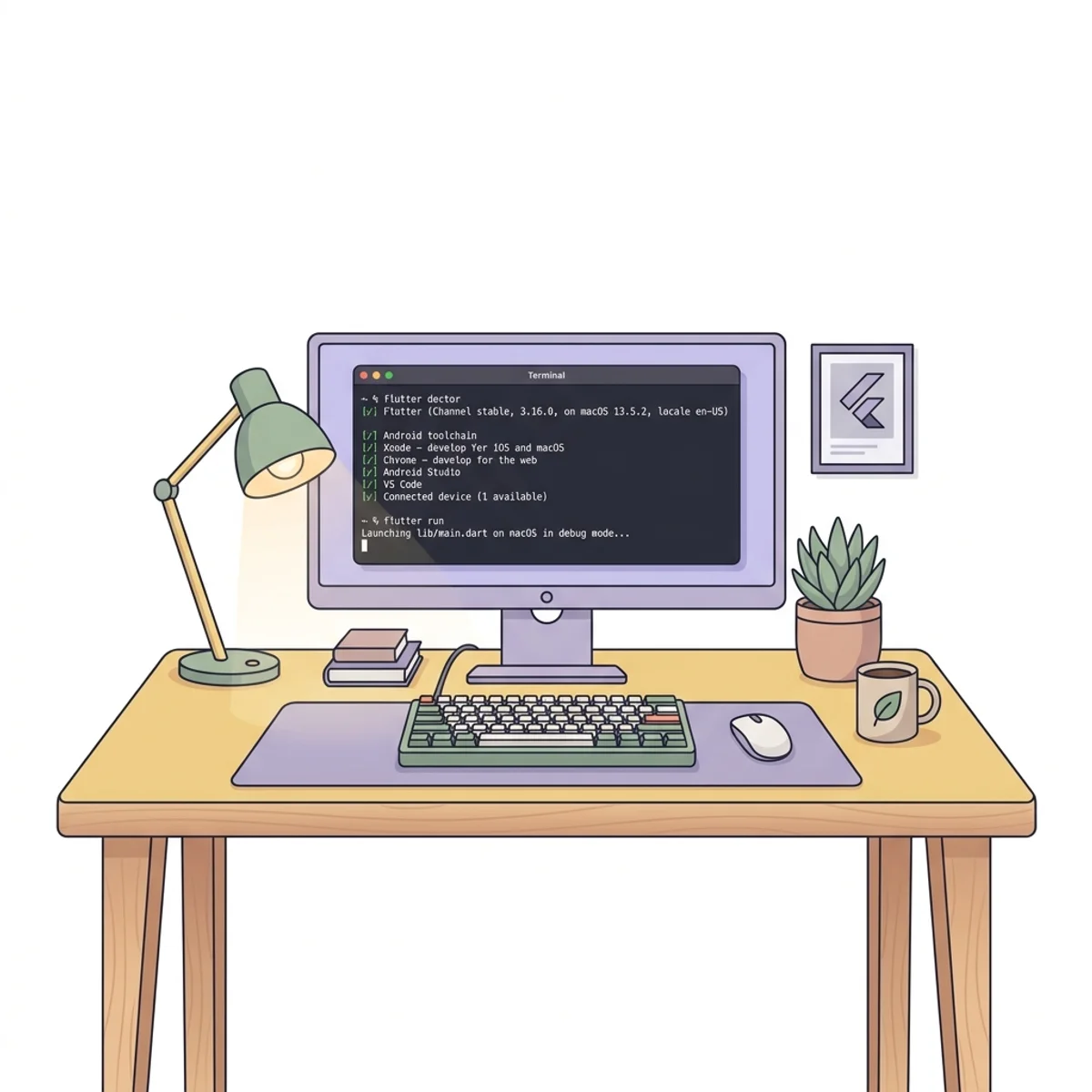
flutter doctor
Think of this as your app's annual checkup. It scans your machine to verify that your Android SDK, iOS SDK, CocoaPods, and various IDEs are installed and configured correctly. This is the first command you should run when something doesn't feel right.
To run a full checkup:
flutter doctor -v
What the output looks like:
[✓] Flutter (Channel stable, 3.29.0, on macOS 14.2.1, locale en-US)
[✓] Android toolchain - develop for Android devices (Android SDK version 34.0.0)
[✓] Xcode - develop for iOS and macOS (Xcode 15.2)
[✓] Android Studio (version 2023.1)
[✓] VS Code (version 1.86.0)
[✓] Connected device (2 available)

• No issues found!
The Pro Move: If you're setting up a new machine, run:
flutter doctor --android-licenses
This launches an interactive session to accept all required legal terms from Google, which is mandatory before you can build for Android.
flutter clean
Sometimes, Flutter's internal cache gets "stale" or corrupted. This command deletes the build/ and .dart_tool/ folders in your project directory, along with internal plugin registration files.
It's essentially the "reset button" for your build environment. If your app is acting weird, throwing strange errors during compilation, or not showing your latest assets, run this. It forces Flutter to re-compile everything from scratch on the next run.
flutter clean
What the output looks like:
Cleaning...
Deleting 'build/'...
Deleting '.dart_tool/'...
Deleting '.flutter-plugins'...
Deleting '.flutter-plugins-dependencies'...
Done!
Tip: After running flutter clean, you'll usually need to run flutter pub get to rebuild your package dependencies.
flutter --version
Quick sanity check to see which SDK and Dart version you are running. Useful when a teammate says "works on my machine."
flutter --version
🛠 Starting a Project
flutter create
This is how you birth a new project. But don't just run the basic command — set your organization name right away to avoid future package-name headaches.
flutter create --org com.yourname --platforms android,ios,web my_awesome_app
This ensures your package name is correct from day one, which is crucial for Firebase integration or Play Store listings.
Key Flags:
--org— Sets the reverse domain name (e.g.,com.yourcompany).--platforms— Limits the project to specific platforms:android,ios,web,macos,windows,linux.--template— Chooseapp,package,plugin, ormodule.--empty— Skips the default counter demo code (great for clean slates).-i/-a— Set the iOS (swift/objc) or Android (kotlin/java) language.
Create a reusable package instead of an app:
flutter create --template=package my_utils
🧰 Daily Utilities
These are the housekeeping commands that keep your project healthy. Mastering them is the difference between a junior and a senior Flutter developer.
flutter pub get
Whenever you add a new library to pubspec.yaml or change a version constraint, run this to download packages and update pubspec.lock.
flutter pub get
flutter pub add
The modern way to add a dependency — no more hand-editing pubspec.yaml.
flutter pub add dio
flutter pub add --dev build_runner
flutter pub add riverpod:^2.5.0
Add multiple at once:
flutter pub add freezed_annotation json_annotation
flutter pub add --dev freezed json_serializable build_runner
flutter pub remove
Cleanly uninstall a package and drop it from pubspec.yaml.
flutter pub remove http
flutter pub outdated
Shows every dependency that has a newer version available, including transitive ones. Your pre-upgrade audit report.
flutter pub outdated
flutter pub upgrade
Fetches newer versions within your existing constraints.
flutter pub upgrade
flutter pub upgrade --major-versions
Powerful. This doesn't just update within constraints — it rewrites your pubspec.yaml to the latest major versions of all your dependencies. Use with caution, it can introduce breaking changes.
flutter pub upgrade --major-versions
flutter analyze
The strict teacher. It scans your entire codebase for potential bugs, unused variables, and style issues based on your analysis_options.yaml. Best practice: run it before every commit.
flutter analyze
CI/CD Power Flags:
--fatal-infos— Treat informational hints as fatal errors.--fatal-warnings— Treat warnings as errors.--no-pub— Skips the automaticpub getto speed things up.
Example for a strict CI build:
flutter analyze --fatal-infos --fatal-warnings
flutter format / dart format
Auto-formats every Dart file to the canonical style. Run before commits.
dart format .
flutter upgrade & flutter downgrade
Update your Flutter SDK, or roll back if a new release broke something.
flutter upgrade
flutter downgrade
flutter config
Turns platform support and other global flags on or off.
flutter config --enable-web
flutter config --enable-macos-desktop
flutter config --enable-windows-desktop
flutter config --no-analytics
🚀 Running Your App
flutter run
The most-used command. Builds and launches your app on a real device or emulator.
Targeting Devices:
flutter devices                # list available devices
flutter run -d chrome          # run on Chrome
flutter run -d all             # run on every device at once
flutter run -d <DEVICE_ID>     # target a specific device
Handy Variables:
flutter run --release          # production-level performance
flutter run --profile          # for performance profiling
flutter run --debug            # default, hot-reload enabled
flutter run --flavor dev       # use a build flavor
flutter run -t lib/main_dev.dart  # alternate entry point
flutter run --dart-define=API_URL=https://staging.api.com
Keyboard Shortcuts (while the app is running):
- r — Hot Reload (updates UI in milliseconds).
- R — Hot Restart (resets app state).
- p — Toggle widget paint bounds.
- o — Toggle platform (iOS ↔ Android).
- q — Quit.
flutter attach
Already launched the app from Android Studio or Xcode? Attach the CLI to it for hot reload + DevTools without restarting.
flutter attach
flutter attach -d <DEVICE_ID>
flutter install
Install the last built APK/IPA on a connected device without running it.
flutter install -d <DEVICE_ID>
flutter logs
Tails the device log for the running Flutter process — useful for capturing crashes the IDE missed.
flutter logs
flutter emulators
List, launch, and create emulators without opening Android Studio.
flutter emulators                           # list
flutter emulators --launch Pixel_7_API_34   # launch one
flutter emulators --create --name my_emu    # create a new AVD
flutter screenshot
Grab a screenshot of the running app directly from your terminal. Great for bug reports.
flutter screenshot
flutter screenshot --type=rasterizer   # what the GPU sees
flutter screenshot --type=skia         # full Skia picture
✅ Testing Your App
flutter test
Runs your unit and widget tests from test/.
flutter test
flutter test test/widget_test.dart     # one file
flutter test --name "login button"     # filter by test name
flutter test --tag slow                # tag-based filtering
flutter test --coverage
Generates a coverage/lcov.info file you can feed into Codecov or render as HTML with genhtml.
flutter test --coverage
genhtml coverage/lcov.info -o coverage/html
flutter drive (integration tests)
Runs integration tests that spin up the app on a real device. In 2026, the recommended flow uses the integration_test package:
flutter test integration_test
flutter drive --driver=test_driver/integration_test.dart --target=integration_test/app_test.dart
📈 Channels
Flutter has different "channels" that determine how stable your SDK is.
flutter channel
See which channel you're on or switch between them.
flutter channel            # list current
flutter channel beta       # switch
flutter upgrade            # pull latest on that channel
The Channels:
- stable — Best for production apps. Updated roughly every 3 months.
- beta — For testing upcoming features.
- master — The bleeding edge. Expect bugs.
📦 Building for Release
When you're ready to ship, you need a release build. Flutter supports every major platform.
Android — App Bundle (Play Store)
flutter build appbundle --release --obfuscate --split-debug-info=./debug_info
--obfuscate— Makes reverse-engineering harder.--split-debug-info— Keeps the app small while letting you symbolicate crashes later.
Android — APK (direct install / QA builds)
flutter build apk --release
flutter build apk --release --split-per-abi   # smaller per-device APKs
--split-per-abi produces separate APKs for arm64-v8a, armeabi-v7a, and x86_64 — perfect for side-loading QA builds without shipping a 50MB fat APK.
iOS (App Store)
flutter build ios --release
flutter build ipa --export-options-plist=ios/ExportOptions.plist
flutter build ipa is the go-to for producing a ready-to-upload archive for App Store Connect.
Web
flutter build web --release --base-href /my_app/
flutter build web --wasm                  # WebAssembly renderer (2026)
The --base-href flag matters when you're hosting under a subpath. --wasm opts into the faster WebAssembly runtime now that it's production-ready in Flutter 3.24+.
Desktop
flutter build macos --release
flutter build windows --release
flutter build linux --release
⚙️ Code Generation (the "Secret Sauce")
If you use Freezed, Riverpod, JSON Serializable, or drift, you'll spend a lot of time with build_runner.
Build once:
dart run build_runner build --delete-conflicting-outputs
Watch mode (auto-rebuild on save):
dart run build_runner watch --delete-conflicting-outputs
Nuke and rebuild:
dart run build_runner clean
dart run build_runner build --delete-conflicting-outputs
The --delete-conflicting-outputs flag is a must. It tells the generator to overwrite old files instead of asking for permission every time.
flutter gen-l10n
Generates localization Dart files from your ARB translation files (lib/l10n/app_*.arb). You usually configure it in l10n.yaml, then just run:
flutter gen-l10n
🔬 Advanced / Less-Used (But Worth Knowing)
flutter symbolize
Converts an obfuscated stack trace back into readable Dart frames using the debug info from your release build. Essential when a Play Console crash report looks like gibberish.
flutter symbolize -i stack_trace.txt -d ./debug_info/app.android-arm64.symbols
flutter precache
Pre-downloads the binary artifacts Flutter needs for a given platform — useful in CI where bandwidth comes in bursts.
flutter precache --ios
flutter precache --android
flutter precache --web
flutter assemble
The low-level build-system entry point that tools like Gradle and Xcode call under the hood. You rarely call it directly, but it's the right tool for custom build pipelines.
flutter custom-devices
Lets you register remote devices (e.g., a Raspberry Pi over SSH) so flutter run -d pi just works.
flutter custom-devices list
flutter custom-devices add
flutter bash-completion
Emits shell completion scripts so tab-complete works for every Flutter subcommand.
flutter bash-completion >> ~/.bash_completion
❓ FAQ
What's the difference between flutter pub get and flutter pub upgrade?
pub get downloads the versions already locked in pubspec.lock. pub upgrade looks for newer versions that still satisfy your constraints and updates the lock file. Neither rewrites pubspec.yaml — only upgrade --major-versions does that.
When should I use flutter clean?
Only when something is broken: stale assets, weird plugin errors after swapping branches, or "works locally, fails in CI" type issues. Running it too often just slows you down — the first build after a clean is long.
flutter build apk or flutter build appbundle?
appbundle for the Play Store — Google requires it and it ships smaller per-device APKs automatically. apk for side-loading, QA builds, and internal distribution. A healthy CI pipeline produces both.
How do I run Flutter tests with coverage locally?
Run flutter test --coverage, then convert coverage/lcov.info to HTML with genhtml coverage/lcov.info -o coverage/html and open coverage/html/index.html.
What does --obfuscate actually do?
It renames Dart class, method, and field names in the compiled AOT snapshot. It is not a DRM system, but it meaningfully raises the bar against casual reverse-engineering. Always pair it with --split-debug-info so you can still symbolicate production crashes.
Why does dart run build_runner build complain about conflicting outputs?
Generated files from a previous run are still on disk. Add --delete-conflicting-outputs and it'll overwrite them without prompting.
📋 Quick Cheat Sheet
| Command | Description |
|---|---|
flutter doctor -v | Check system requirements in detail |
flutter create --org com.x my_app | New project with correct package name |
flutter pub get | Install dependencies |
flutter pub add <pkg> | Add a dependency |
flutter pub outdated | See what's out of date |
flutter pub upgrade --major-versions | Upgrade deps to latest major |
flutter run -d chrome | Launch on a specific device |
flutter run --release --flavor prod | Release-flavor run |
flutter attach | Hot-reload an already-running app |
flutter test --coverage | Run tests and emit lcov |
flutter drive | Integration tests on a real device |
flutter analyze --fatal-warnings | Strict lint for CI |
flutter clean | Wipe build cache |
flutter build appbundle --obfuscate --split-debug-info=./debug_info | Release build for Play Store |
flutter build apk --split-per-abi | QA-friendly per-architecture APKs |
flutter build ipa | Archive for App Store Connect |
flutter build web --wasm --release | Web release using WebAssembly |
flutter symbolize -i trace.txt -d ./debug_info/...symbols | De-obfuscate a crash trace |
flutter gen-l10n | Generate localization Dart files |
flutter emulators --launch <id> | Boot an Android emulator |
flutter logs | Tail device logs |
flutter channel beta | Switch SDK channel |
flutter upgrade / flutter downgrade | Update or roll back the SDK |
dart run build_runner watch --delete-conflicting-outputs | Live code generation |
Wrapping Up
Mastering these commands doesn't just save time — it gives you total control over your app. The CLI is the honest interface: no hidden IDE magic, no wizardry, just flags you can read in --help.
Bookmark this page, pin the cheat sheet, and the next time something goes wrong you'll reach for the terminal instead of Stack Overflow. Happy shipping!
Related tools on this site: SQL → Dart Converter for quickly generating Dart model classes, and the JSON Formatter for debugging API responses before they hit your app.